URL QR Codes: Send Customers Exactly Where You Want
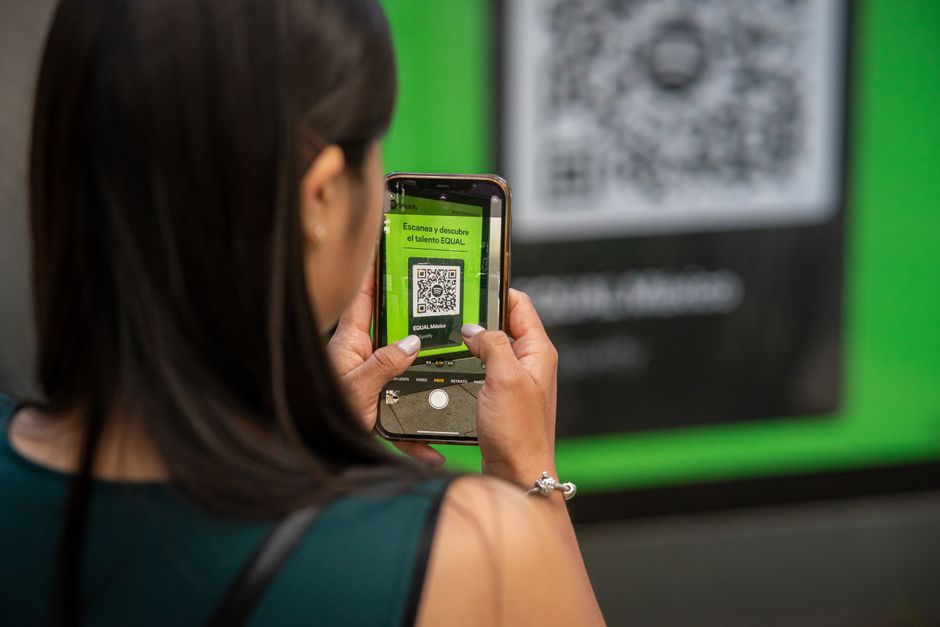
You printed a great web address on a flyer, and not one person typed it in. That is the quiet failure of every long link on physical material: nobody wants to thumb-type yourbusiness.com/spring-sale-2026 into a tiny keyboard. A URL QR code removes that friction entirely. Customers point a camera, tap a notification, and land exactly where you want them, no typos, no "where do I go again?" This guide shows you what a URL QR code is, why it beats every alternative, and how to build one in under two minutes.
What Is a URL QR Code?
A URL QR code is a scannable square that encodes a web address. When someone scans it with their phone camera, the device reads the link and opens it in a browser. That destination can be anything with a URL: your homepage, a product page, a booking calendar, a YouTube video, a Google review form, or a checkout page.
The magic is that one scan replaces an entire act of manual typing. You are handing customers the door instead of the street address. Whether the code lives on a poster, a receipt, or a shop window, the experience is identical: aim, tap, arrive.
Why It Beats the Alternatives
Printing a raw URL asks the customer to do work. Shortened text links still require typing and often look untrustworthy. A QR code does the navigating for them, and that single difference moves conversion.
But not all QR codes are equal. A static code bakes the destination in permanently, so if your link changes, the printed code is dead. A dynamic URL QR code stores a short redirect that you control, which means you can:
- Change the destination after printing without reprinting a thing
- See exactly how many scans you get, plus when and where
- Run the same code through different campaigns over time
If you are unsure which type fits your project, our guide on dynamic vs static QR codes breaks down the tradeoffs. For most businesses, dynamic wins because flexibility and data are worth far more than the few seconds it takes to set up.
How to Create It With Qribly
Building a URL QR code takes about two minutes. Here is the full process:
- Go to https://qribly.com/url-qribly and select the URL QR code type.
- Paste the exact web address you want people to land on, including the
https://. - Choose dynamic so you can edit the link later and track every scan.
- Customize the look: add your logo in the center, set your brand colors, and pick a frame with a short "Scan me" prompt.
- Preview the code, then run a quick test scan with your own phone to confirm it opens the right page.
- Download a high-resolution PNG or SVG so it stays crisp on everything from a business card to a billboard.
That is it. Your code is live, branded, and ready to print or share.
7 Places to Put Your URL QR Code
A URL QR code earns its keep when it sits where people already have their phones out. Strong placements include:
- Product packaging linking to setup videos, manuals, or a registration page
- Restaurant tables and receipts pointing to a menu, loyalty signup, or feedback form
- Storefront windows so passersby can browse your catalog after hours
- Event banners and booths sending attendees to a lead form or special offer
- Business cards that open your portfolio or booking page instantly
- Print ads and flyers driving readers to a dedicated campaign landing page
- Email signatures and slide decks for one-tap access during meetings or webinars
The right placement is the one that matches your goal, so start with the page you most want people to reach and work backward to where their phones already are.
Pro Tips for Better Results
A few habits separate codes that get scanned from codes that get ignored:
- Always go dynamic. Because a dynamic code is editable after printing, a typo in your link or a changed landing page is a 10-second fix instead of a costly reprint.
- Watch your scan analytics. Qribly shows total scans plus location and time data, so you learn which poster, table tent, or city actually drives traffic.
- Add a clear call to action. A short line like "Scan for 20% off" lifts scan rates far more than a bare code.
- Keep contrast high. Dark code on a light background scans fastest; avoid placing it over busy photos.
- Size it for the distance. A code on a billboard needs to be much larger than one on a coffee cup so cameras can lock on.
Frequently Asked Questions
Can I change where a URL QR code points after I print it? Yes, if it is dynamic. A dynamic URL QR code stores a redirect you control, so you can swap the destination anytime without touching the printed code. Static codes cannot be changed once generated.
Do URL QR codes expire? A static code never expires because the link is encoded directly. Dynamic codes stay live as long as your Qribly account is active, and you can edit or repoint them whenever you like.
Can I track how many people scan my code? Yes. With a dynamic code, Qribly records total scans along with time and location data, so you can measure which placements and campaigns are actually working.
Start Sending Customers Exactly Where You Want
Every flyer, package, and shop window is a chance to put your best page one tap away. A URL QR code closes the gap between "I saw it" and "I clicked it," and a dynamic one lets you edit the link and read the analytics long after the ink dries. Head to https://qribly.com/url-qribly, paste your link, and have a branded, trackable code ready in the next two minutes.